The infrastructure to scale
your team with AI agents.
Shared development environments. AI agents working in parallel. Your engineers approve what ships.
Open source. Runs on your infrastructure. Explore self-hosting
See the product in action
From an idea to a change you can try.
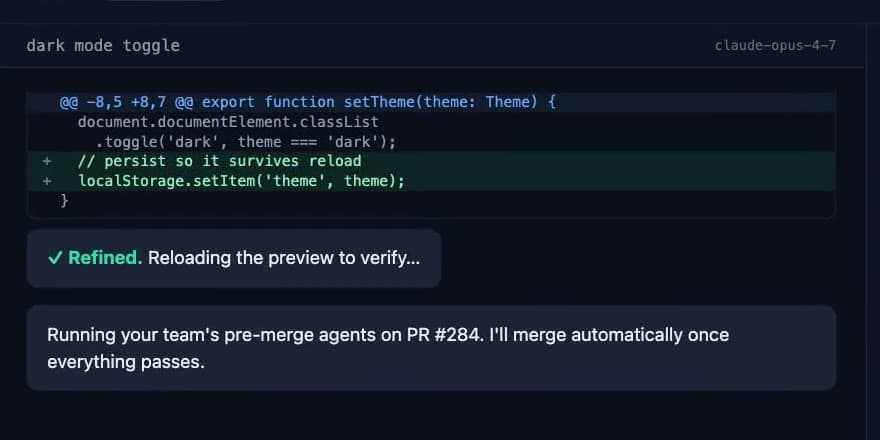
Follow the dark-mode example in WithVibe: work with the AI, inspect the change, and see the checks before it ships.
You know what needs to change.
Start there.
Describe the result you want in plain language. The AI works on the implementation; you and your teammates explore the result.
Explore an example
Illustrative examples. Select a role to see a possible workflow.
Product example
Try a better first impression.
Explore a shorter signup flow in a working copy of your app. Invite design and engineering to try it with you.
Illustrative preview
Welcome aboard.
A working feature your team can review together.
More ideas moving.
The whole team involved.
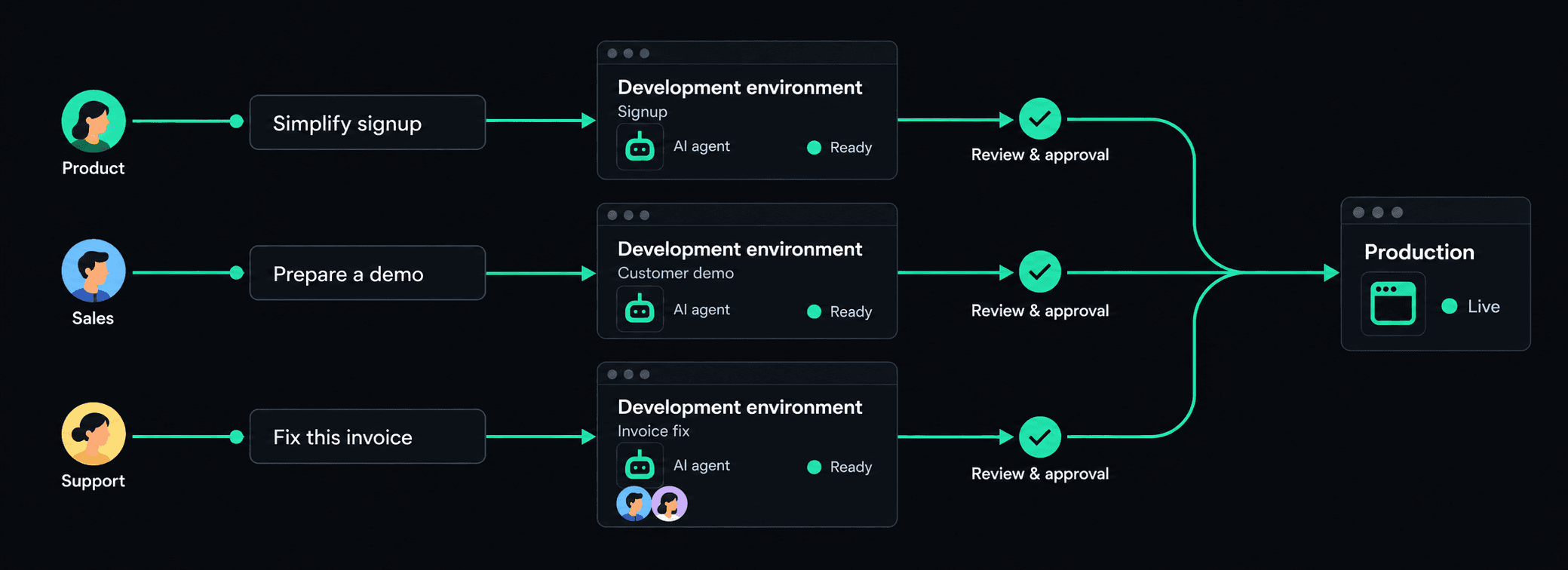
Each idea has its own space. The people working on it share the environment, the conversation, and the result.
Explore ideas in parallel.
Give a feature, a customer demo, and a proposed fix their own working environments.
Bring teammates into the same work.
Invite others to try the preview and collaborate in the shared AI conversation.
Review a working result.
Discuss the actual change together, then let engineering decide what is ready to ship.
From idea to approved change
Everyone builds.
Engineers approve what ships.
- 01
Create
Start a separate working copy of your app for an idea.
- 02
Build
Describe the change. Work with the AI and try the result.
- 03
Collaborate
Invite teammates into the same environment to give feedback.
- 04
Review
Agent checks and engineering approval come before shipping.
A review process your engineers control.
Security, code review, and testing agents check proposed changes. Your engineering team reviews the results and decides what can reach the live application.
Separate environments let people explore changes while your team keeps its review and approval process.
Getting your team started
Your engineers set it up.
Your whole team puts it to work.
WithVibe works with your existing application and runs on your infrastructure. Engineering handles the initial setup so teammates can focus on what they want to build.
Self-host the open-source software, or talk with us about a guided pilot. Hosting and AI usage costs are separate.
- 1
Engineering
Connect the application.
Connect repositories and configure how development environments run.
- 2
The team
Bring an idea.
Create an environment, describe a change, and invite teammates to work on it together.
- 3
Engineering
Review what ships.
Review the changes and agent checks before approving work for the live application.
What would your team build first?
See how WithVibe could fit your application and your team. Leave your work email and we'll get in touch to arrange a demo and discuss setup.
Ready to run it yourself? Read the self-hosting guide.